

Getting Started
The Library Catalog can be a little confusing until you get used to it. Follow these suggestions to get started.
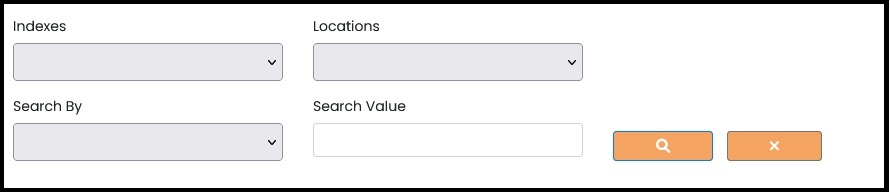
At the top, there are four boxes. Two of these are to help you filter out the records you are interested in. The other two allow you search for a specific word, call number, etc.
Indexes
Indexes refer to topics of the files, such as "Census" or "Marriage" records. Click on the down arrow to see the list of topics. The line at the top of the drop-down list will clear any unwanted selections.
Locations
Locations refer to the relevant geographic area that the records cover, such as "Missouri" or "Atchison County". Click on the down arrow to see a list of the geographic areas. The line at the top of the drop-down list will clear any unwanted selections.
Search By and Search Value
These two boxes work together. The Search By box is a drop-down that will show you what contents you can search, such as "Title", "Author", or "Call Number". Type the word you are looking for in the Search Value box. Click in the button with the magnifying glass to complete your search. The matching records will appear below.
Click the X button to clear all boxes.